6 Warning Signs You Need For Website Maintenance Services Before The Next Cloud Outage
On October 20, a disruption hit Google Cloud’s London region. Financial services and public-sector platforms took the first blow. Google later said it restored service.
Most business owners read that headline, shrugged, and moved on. That’s a mistake.
Ask yourself one question. If your website went dark tomorrow morning, what would break? Your online payments? Your contact form? Your live chat? The lead who found you on Google and landed on a blank error page?
Most owners can’t answer with confidence. That gap is the real risk. It’s why the team at TechSimba wrote this guide.
Below, you’ll find six warning signs that your site can’t survive a cloud failure. Check yourself against each one. If three or more sound familiar, you need website maintenance services before the next outage, not after it.
Why One Cloud Problem Becomes Your Problem
Cloud outages happen. Every large provider has them, and you can’t prevent them.
But look at how much of your business sits on someone else’s servers. Your site lives on a hosting account. Your payments run through a gateway. Your emails, forms, booking tools, and chatbots each lean on a data center you never see.When one link breaks, the damage spreads. Visitors can’t browse. Customers can’t pay. New leads can’t reach you. Your support team can’t answer a single ticket.
Big organizations with large technical teams felt the London disruption. A small business with one hosting plan and no backup has far less cushion.So the real question isn’t “Will an outage happen?” The question is “How badly will it hurt when it does?” Steady website maintenance services answer that question long before trouble starts.
Warning Sign 1: Nobody Tells You When Your Site Goes Down
Here’s a painful way to learn about downtime: a customer emails you.If you rely on visitors to report problems, you have no uptime monitoring. You lose hours before you even know something broke.
Good monitoring checks your site every minute from several locations. It also tests the pages that earn money, like checkout, login, and contact forms. When anything fails, an alert hits your phone within minutes.
Monitoring costs very little. Silence costs a lot. Setting up those alerts and reviewing them every month is one of the first jobs in professional website maintenance services. Pair that with website optimization services, and you also catch slow pages before they turn into failed ones.
Warning Sign 2: Your Backups Are Old, Untested, or Sitting Next to Your Site
Quick test. When did your last backup run? Can you restore it? Where does it live?
Three failures show up again and again. The backup runs once a month, so you lose weeks of orders. The backup sits on the same server as the website, so one failure takes out both. Or nobody ever tested a restore, so nobody knows whether the files work.
A solid plan follows a simple rule. Keep several copies, store them in different places, and test them on a schedule. For an active store, back up daily or even hourly. Keep at least one copy outside your main cloud provider.
The right website hosting solutions make this routine. They include automated, off-site backups with an easy restore. If your current plan treats backups as an optional extra, that’s your warning sign. Good website maintenance services also run restore tests, so you find problems on a quiet Tuesday instead of during a crisis.
Warning Sign 3: One Server, One Region, One Point of Failure
When a cloud problem hits one region, any site running only in that region has nowhere else to go.
Many small business sites sit on a single server in a single data center. That’s cheap and simple. It also means one failure takes you offline.
You don’t need an enterprise budget to fix this. You need smarter website hosting solutions. Look for hosting that includes failover servers, a content delivery network, and a second location ready to take over.
Ask your provider three direct questions. What happens if your data center fails? How fast does traffic move to another location? Do you guarantee uptime in writing?
Strong website hosting solutions don’t promise zero outages. Nobody can. They promise fast recovery and a plan that works.
Warning Sign 4: Your Site Is Slow, and Nobody Fixes It
Slow pages and random errors rarely get attention.
But a sluggish site fails first under pressure. When traffic spikes or a provider hiccups, a bloated site tips over while a lean one stays up. Oversized images, heavy plugins, and clumsy database queries all make your site fragile.
This is where website optimization services earn their cost. A good team compresses images, cleans up code, caches pages, and removes plugins you don’t use. Your site loads faster, ranks better, and handles bumps more easily.Regular website optimization services keep your site lean month after month.
Warning Sign 5: You Have a Hope, Not a Recovery Plan
Your site goes down at 9 a.m. on a busy Monday. Who gets the alert? Who calls the hosting provider? Who tells customers what happened? Who decides when to restore from backup?
If you hesitate, you have no disaster recovery plan. Without one, people waste the first hour arguing about who owns the problem.
A basic plan fits on one page. List the people who respond and their phone numbers. List your critical systems, such as your website, payments, email, and CRM. Set a target for how fast you need each one back. Write down the exact steps to restore from backup. Add a short message you can send to customers.
Then run a drill twice a year.
At TechSimba, we like to start with one question: what does one hour of downtime cost your business? Do that math first. It makes every other decision easier, and it shows you why website maintenance services belong in the budget.
Warning Sign 6: Your Updates and Security Fall Behind
Outages don’t always start in the cloud. Sometimes the trouble starts inside your own site.
Outdated plugins, old software versions, and weak passwords invite attackers. A compromised site can go down just as hard as one hit by a provider outage, and it often takes longer to clean up.
Cloud security for businesses starts with the basics. Update your CMS, themes, and plugins on a schedule. Use strong passwords and two-factor login. Limit who has admin access. Scan for malware every week. Renew your SSL certificate before it expires, because an expired certificate also blocks visitors.
That’s why many businesses hire website maintenance services instead of leaving updates to chance. One missed patch can cost you weeks of recovery.
What a Reliable Website Looks Like
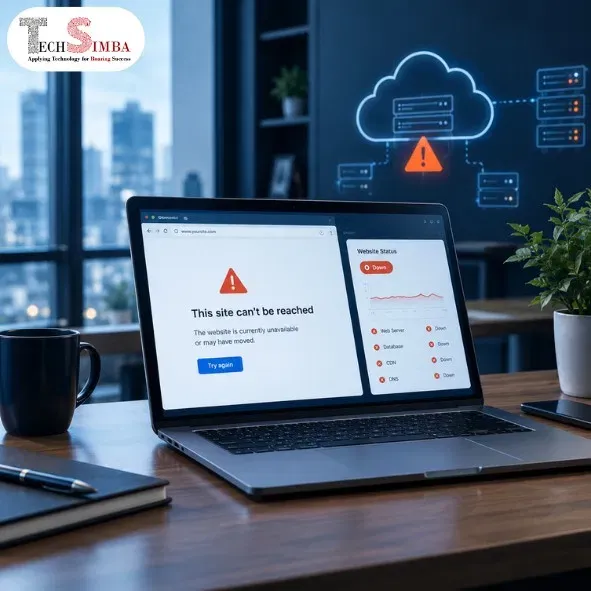
You’ve seen the six signs. Now picture the opposite.
A reliable website sends alerts within minutes. It keeps daily, off-site backups you’ve tested. It runs on website hosting solutions with failover and a content delivery network. A team tunes its speed through website optimization services. Updates and security checks run on a calendar. A written plan tells everyone what to do when trouble hits.
That’s what we build at TechSimba. Our website maintenance services cover monitoring, backups, updates, security scans, and fast fixes. Our website optimization services keep your pages quick and stable.
And we help clients pick website hosting solutions that match their traffic, budget, and risk.
Whether you run a small online store or a lead-generation site, TechSimba treats uptime as part of your business plan, not an afterthought.
Want the Bigger Picture? Start Here
Fixing one weak spot helps. Building a site that stays strong helps more.
Outages, slow pages, and missed updates rarely come from a single mistake. They usually trace back to how the site was built, tuned, and looked after over time. If you want to see how those three pieces fit together, read our complete guide to website development, optimization, and ongoing support.
It explains what good development looks like from day one, how optimization keeps your pages fast, and why regular support prevents small problems from turning into big ones. Read it first, then come back and run the self-check below with a clearer view of where your site stands.
Your 15-Minute Self-Check
Answer these six questions honestly:
- Do you get an alert within minutes if your site goes down?
- Did you restore a backup in the last six months, and does a copy live outside your main provider?
- Can your site keep running if one data center fails?
- Does your site load in under three seconds on a phone?
- Is your CMS, every plugin, and every theme up to date today?
- Does a written recovery plan exist, and does your team know where to find it?
Each “no” marks a gap. Three or more “no” answers mean you should act this month. Ask your current provider whether your plan includes failover. Then book a short audit with a team that handles website maintenance services every day. You’ll see exactly where you stand.
The Takeaway
The October 20 outage ended. Google restored service. The next one will arrive at a time nobody picks, and it might hit the provider your website depends on.
You can’t control Google’s bad days. You can control whether yours becomes a crisis or a small hiccup. Monitoring, tested backups, resilient website hosting solutions, a lean site through website optimization services, a written plan, and steady updates make that difference.
Compare the monthly cost of website maintenance services with what one lost day of sales and trust would cost you. The math is easy.
If you’re not sure where your site stands, the TechSimba team can walk through your setup with you and point out the weak spots before an outage does. Reach out today.
Frequently Asked Questions
2. Can a cloud outage affect a small business website?
Yes. If your site, payment gateway, or booking tool runs on the affected provider or region, it can slow down or go offline. Company size doesn't protect you.
3. How much does website downtime cost a business?
It depends on your traffic and your sales. Start with a simple formula: average revenue per hour, plus the value of the leads you miss in that hour. Multiply that number by the hours you stay offline. Add the harder-to-measure cost of lost customer trust.
4. How do I know if my website is down?
Use an uptime monitoring tool. It checks your site every minute from several locations and sends an alert by email or SMS the moment something fails. Don't wait for a customer to tell you.
5. How often should I back up my website?
Back up as often as your content changes. Daily works for most business sites. An active online store should back up hourly. Keep at least one copy outside your main provider, and test a restore every few months.
6. What is a website disaster recovery plan?
It's a short, written playbook for the day your site goes down. It lists who responds, which systems matter most, how fast you need each one back, the steps to restore from backup, and a message you can send to customers.
7. What is the difference between a backup and a disaster recovery plan?
A backup is a copy of your data. A recovery plan tells your team how to use that copy, who acts first, and how quickly. You need both, because a backup nobody knows how to restore can't save you.
8. Does hosting in more than one region prevent downtime?
It lowers your risk a lot, but it doesn't guarantee zero downtime. Failover only works if someone sets it up correctly and tests it. Ask your provider how fast traffic moves to a second location and get that promise in writing.
9. How can I improve cloud security for businesses that run online?
Start with the basics. Update your CMS, themes, and plugins on a schedule. Use strong passwords and two-factor login. Limit admin access. Scan for malware weekly. Renew your SSL certificate before it expires.
10. How often should I review my website's reliability?
Run a quick check every month: review alerts, install updates, and test your page speed. Restore a backup and run a recovery drill twice a year. Do a full audit once a year or after any major change to your site.
Worried Your Website Can’t Handle the Next Outage?
Talk to the TechSimba team. We’ll check your uptime, backups, speed, and security, and give you a clear list of fixes in order of priority.